Recognize dozens of languages
Live transcription uses Gemini Live or ElevenLabs Scribe and supports over 40 languages, including Chinese, Cantonese, English, Japanese, Korean, and languages from Southeast Asia and Europe.
Real-time AI interpretation
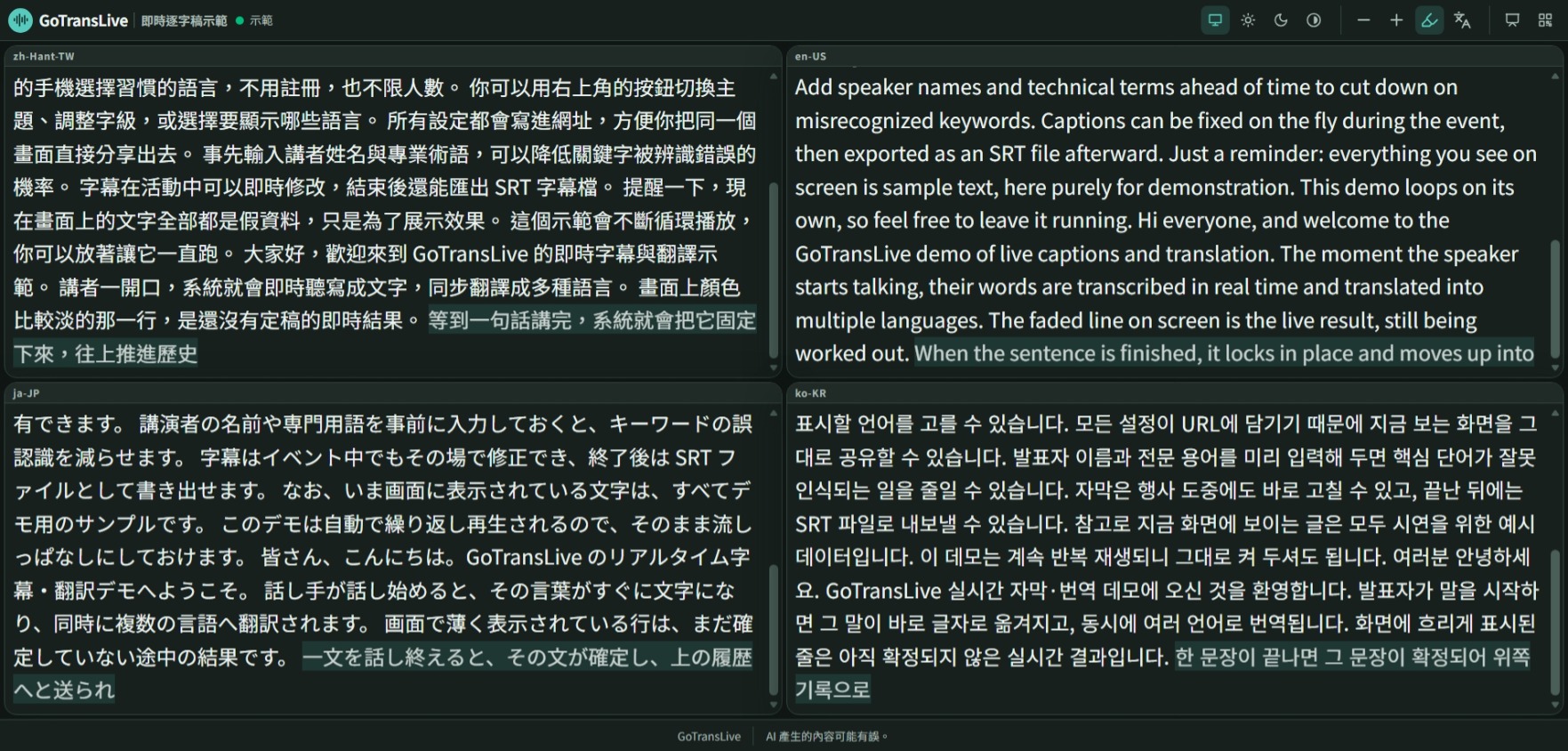
Turn speech into live captions and translations, so everyone can follow along in their own language.
Online payments are coming soon. For now, sign in or create an account, then email us to get started.
今天要分享的是城市的韌性設計。
Today I'll talk about resilient urban design.
本日は都市のレジリエンス設計についてお話しします。
How it works
From conferences and classes to meetups and livestreams, you can have captions on your audience’s screens in minutes once your account is enabled.
Sign in or create an account, then email us to enable live transcription. Open My Sessions and enter a Session ID to set up captions for your event.
Give your browser access to the microphone, choose the spoken language and translation languages, then press Start. There’s nothing to install.
Display the link or QR code on the event screen. Audience members open it on their phones, choose their language, and see captions update in real time.
Features
Live transcription uses Gemini Live or ElevenLabs Scribe and supports over 40 languages, including Chinese, Cantonese, English, Japanese, Korean, and languages from Southeast Asia and Europe.
Translations take surrounding captions into account to handle names, technical terms, and pronouns more like a human interpreter. Choose a formal, fluent, conversational, or literal style.
Audience members simply open the webpage and choose a language. No app download or login required.
Add speaker names, organization names, and specialist terminology in advance to reduce recognition errors for important words.
Captions can sync with the livestream timeline, so online and in-person audiences see the same content.
Edit or delete caption segments in real time, with updates synced across all languages. After the event, export JSON records and SRT subtitle files.
Pricing
Your audience watches for free. Audio uses no Credits while the room’s primary owner has an active live-transcription grant; otherwise, usage is charged in Credits. Online payments are coming soon. For now, sign in or create an account, then email us to enable live transcription.
Audience
FreeNo sign-up needed
Credits
Usage-basedOnline payments coming soon
Credits aren’t available to buy online yet. To get started, sign in or create an account, then email us to enable live transcription.
Email us to get startedSign in to use the control panel. The room’s primary owner needs an active live-transcription grant or remaining Credits. Co-organizers use that owner’s grant or Credits and do not need separate activation.
FAQ
No. Both the control panel and audience page run in your browser. All you need to get started is an internet-connected computer and a microphone. To use an audio mixer, connect its output to your computer as the microphone input.
Audience members do not need to sign up or log in. They can view captions by opening the link or scanning the QR code. There is no audience limit.
Credits are deducted for live transcription only while the control panel is capturing audio. Usage is charged to the session owner. Online purchases are coming soon. For now, sign in or create an account, then email us to enable live transcription.
Speech recognition supports over 40 languages, including Chinese, Cantonese, English, Japanese, Korean, languages from Southeast Asia, and most European languages. You can add or remove translation languages freely in the control panel.
Yes. During the event, you can edit or delete caption segments, and all languages update together. Afterward, you can export JSON records and SRT subtitle files.
Event support
Need on-site audio, an engineer to keep things running, or training for your team? Bit Creative, the team behind GoTransLive, offers on-site event support, remote assistance, and guidance for self-hosted deployments.